Stop waiting on a developer. Build the website, app, or tool you need yourself.
Hand over the keys.
A course for entrepreneurs, operators, side-builders, and anyone with something they have been meaning to build and no developer to build it. You start with no coding experience. By the end you have five real things you built yourself: a set of professional documents, a brand kit, a live website, a desktop app, and a mobile app on your phone.
No signup. No card. The first lesson is sitting right there.
See what you build.
Five categories of real, finished work. The shapes below are illustrative. The files on your laptop at the end of the course are not.
-
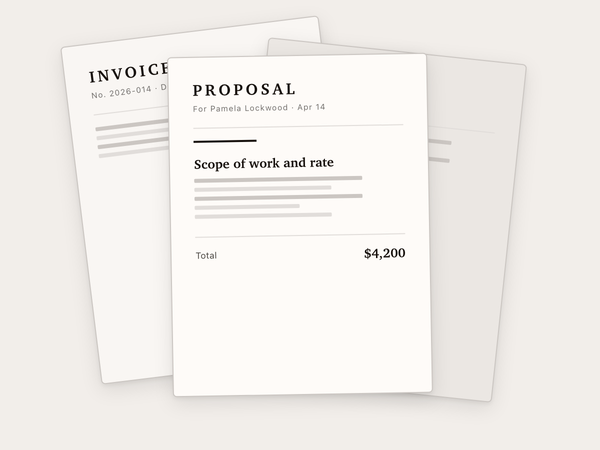 Build 1
Four documents
A proposal, a contract, an invoice, and a service menu. Each one a page, each one a PDF you would send to a client.
-
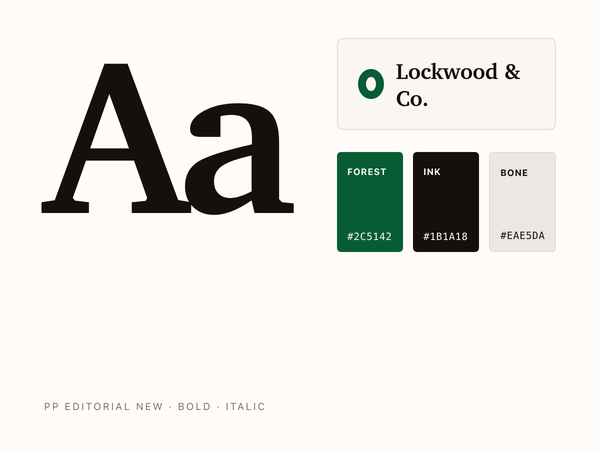 Build 2
A brand kit
A logo, three palette colors, one typeface, and a business card. The set a printer or a sign maker can work from.
-
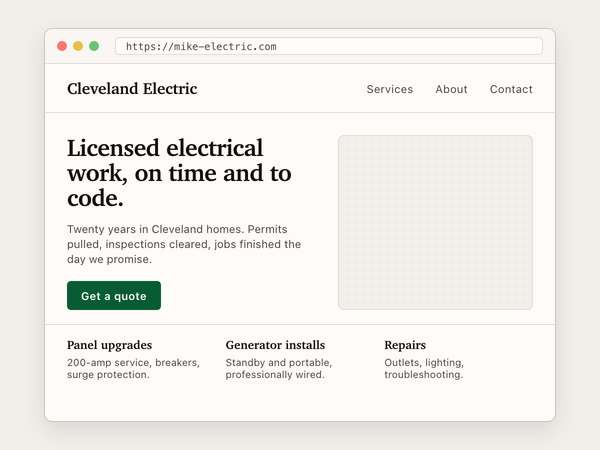 Build 3
A live website
Three pages on a real domain you own. Home, services, contact. Reachable from any phone, in any room, by any friend you text the link to.
-
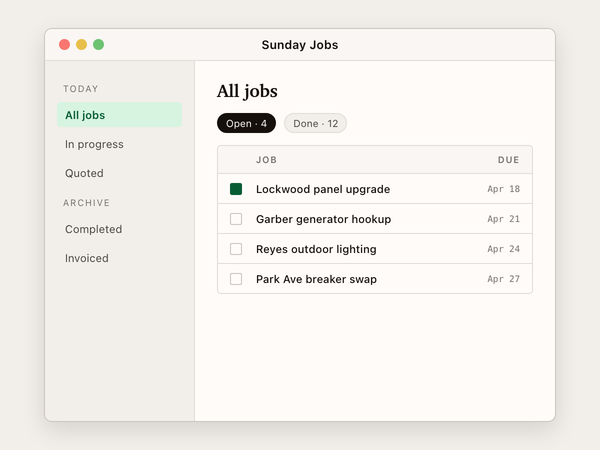 Build 4
A desktop app
A Mac or Windows program with an icon you can click. The job-list dashboard is the default. Bring your own if you have one in mind.
-
 Build 5
A mobile app
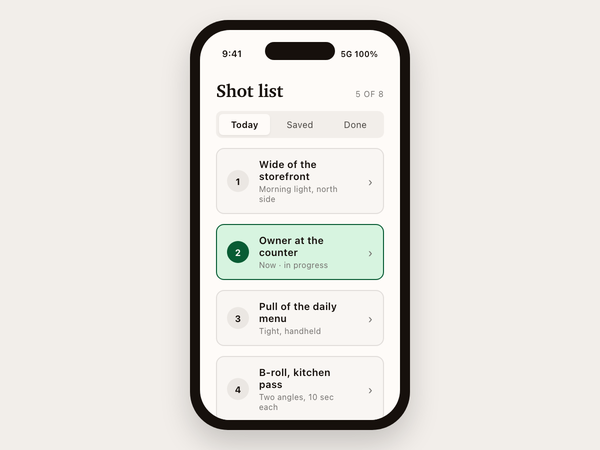
An iPhone or Android app installed on your own phone. Share the install with a friend so the same app lives on theirs.
Then a final integration weekend ties all five together: a small business launched in one weekend, using the documents, the brand, the site, the desktop tool, and the mobile app at the same time.
Four students take the same course.
Four characters who appear in every lesson, not customers being quoted. Different lives, different projects, same path. They show up the way classmates show up in a class, and by Lesson 27 they have built the same five things you will.
- Mac
Sarah
Marketing manager in Atlanta. MacBook Air.
Building
agency-handoff-notesfor Pamela Lockwood, the client lead her agency just signed. - Windows
Mike
Contractor in Cleveland, runs Cleveland Electric. Windows laptop.
Building
electrical-contractsfor homeowner bids he writes on Sunday nights. - Linux
Luis
High school teacher in Albuquerque. Linux desktop.
Building
reading-tracker-pilotfor parents in his classroom pilot. - Laptop + iPad reference
Patricia
Retired accountant in Tampa. Laptop with iPad as reference.
Building
sunday-budgetfor her own household.
You meet them in Lesson 1 and you keep seeing them. When you get stuck, one of them has been stuck on the same step. When you ship something, you ship it next to them.
Five real things, in your own hands by the end.
Small enough to ship in a weekend, complete enough to use on Monday.
- Build 1
Professional documents
Proposals, contracts, decks, resumes. You write a short brief, Claude Code drafts the document, you edit it, and you export a clean PDF. The kind of document you would actually send to a client without apologizing for it first.
- Build 2
A brand kit
A logo, a small set of colors and type rules, and a few marketing graphics. The visual identity for a real business or one you invent. A printer can use the files. So can a sign maker.
- Build 3
A live website
A multi-page site at a real address on the open internet, on a domain you picked. Not a preview running only on your laptop. The kind of site you can text to a friend and they can open it from their couch.
- Build 4
A desktop app
A Mac or Windows program that runs on your computer. A notes tool, a timer, a clipboard helper, a small utility you have wanted for a while. You pick what to build. By the end you have an icon you can click, like any other app.
- Build 5
A mobile app
An iPhone or Android app installed on your own phone. If you want, you can share the install with a friend so it lives on their phone too.
Then a final integration weekend that ties all five together: a real small business, launched in one weekend, using the documents, the brand, the site, the desktop tool, and the mobile app at the same time.
This course is a fit if…
- You have a job, a family, and the kind of schedule where evenings are the only time you can sit down and learn something.
- You can use email and a web browser without help, but you have never written a line of code on purpose.
- You have already paid for one or two online courses where you finished and had nothing to show for it, and you can feel another one of those coming.
- You are willing to follow numbered steps as long as the steps are actually right.
- You want a tool you can drive, not a chat window you keep typing requests into.
This course is probably wrong for you if…
- You write code for a living. The first three units would be review, and the pace would frustrate you.
- You are looking for "passive income in 30 days." This is a course that teaches a craft. It is not a side hustle.
- You want the AI to think for you. The whole course is about staying in charge of the work and using Claude as a tool. You are the one driving. Claude does the typing.
- You cannot make room for 70 to 90 hours of work over the next few months. There is no shortcut around the building.
You have already paid to learn this. Twice. Maybe three times.
A pattern shows up over and over with adults who land on this page. You paid for the famous online course, the one with the founder and the music in the trailer, and finished maybe a third of it. Nothing got made.
You watched a YouTube playlist that came highly recommended, until the fourth video assumed you already knew what npm install meant and never stopped to explain it. You closed the tab.
You tried one of the big gamified apps, built like a game for kids with cartoon characters and achievement popups. You are an adult trying to get real work done, not collect badges. You stopped.
The shared problem is not that you are bad at learning. It is that watching someone else make a thing, no matter how cleanly they explain it, never quite lands the same way as making the thing yourself. The hours you spent left you informed, and informed is not the same as capable.
What was missing was the way the best learning has always worked: somebody good shows you one example, then sits next to you while you do your own version, and is patient when you get it wrong the first time. Then a way to know whether you got the second one right without having to ask.
That is what is here.
A teacher in one window. Claude Code in the other.
The lesson opens in your web browser on one side of the screen. On the other side, you open a window called the terminal, the text-based control panel that comes built into every Mac and Windows computer. You probably have never opened it on purpose, and that is fine. The first lesson walks you through opening it, the way you would walk a new coworker through opening their email for the first time. Once it is open, you type a single word and Claude Code starts up inside it. From then on, the two windows sit side by side, and the lesson tells you what to type, what should happen on the other screen, and what to do when something else happens instead.
Each lesson has the same shape. First, a worked example: you read it or watch it and follow along on your own laptop, with the most common wrong turn flagged before you take it. Then you do a near-twin project on your own, and the hand-holding thins out. By the third project the steps are shorter. By the fifth, you are working from a single paragraph describing a real, finished thing you have been meaning to build, drawn from your own life, whatever shape your life is.
After each of those projects, you check your work. Every lesson includes a built-in checker, a single-command tool that compares the file you produced against the lesson's checklist and tells you, in plain English, what passed and what did not. There is no graders' inbox. No three-day wait for an email. The work is right or it is not, and you find out before you close the laptop.
Read or watch the lesson, build the real thing, run the check, move on. The loop is small on purpose, and it does not change from Lesson 1 through the final project.
Nine parts, twenty-seven lessons, ending in a launch weekend.
Roughly 70 to 90 hours of student work, paced however you want. Some students finish in six weeks of weekend afternoons. Others take a full semester at one lesson on Sunday nights. Both are normal.
- Part 1 Getting Started · Installing Claude Code, what the terminal actually is, your first real prompt typed into it
- Part 2 Driving Claude Code · How to start a session, plan a task, send a request, read what comes back, and recover when something goes sideways
- Part 3 Customizing your co-pilot · How to teach Claude Code your name, your style, where your files live, and the tasks you do most. Every step is taught from zero.
- Part 4 Professional documents · Proposals, contracts, decks, resumes. The reading-glasses kind of work.
- Part 5 Design documents · Logos, brand kits, the marketing graphics a small business needs to look like a real one
- Part 6 Build a website · A landing page first, then a multi-page site, then a real address on the open internet with your own domain on it
- Part 7 Build a computer app · A Mac or Windows program you will actually open again the next morning, not a demo you delete after class
- Part 8 Build a mobile app · An iPhone or Android app installed on your own phone
- Part 9 Launch Weekend: Launch a real business · Friday briefing, Saturday integration, Sunday public share. All five artifacts in use at the same time.
This website was built with Claude Code, the same tool the course teaches. Not a template, not a mockup. The site you are reading is what the method made.
Try it before you trust me.
I am not a software developer and have never been one. I built this website with Claude Code. The course teaches the same method, scaled to what a beginner builds first. There are no reviews yet, and I am not going to invent any. Here is what you can stand on instead.
- Try it before you pay. The first lesson is open right now, no signup and no card. Lesson 4 goes deep enough that you will know inside an hour whether this teaches the way you learn.
- Check your own work. Every lesson ships with a built-in tool that reads the file you produced, compares it against the lesson's checklist, and tells you in plain English what passed. Your proof is the work on your own laptop, not a stranger's quote.
- Thirty-day refund. No questions. If the first three lessons do not click, the money goes back the same week.
- Founding price. The first 50 students pay the lowest price this course will ever carry. When the founding group finishes and shares real results, those reviews go up here with names attached, and yours can be one of them.
Pick the version that fits how you want to take the course.
Every tier includes lifetime access and a 30-day, no-questions refund. Still deciding? The first lesson is free, so you can build something real before you pay a cent.
- All 27 lessons, including the final integration weekend. Lifetime access, no expiry on anything
- All five real builds: a set of documents, a brand kit, a live website, a desktop app, and a mobile app
- A built-in checker that reads your work and tells you what passed
- A clean reader, with light and dark modes, that respects long reading sessions
- Free updates as new lessons land, for as long as the course is alive
or $99 a month for three months, no interest
Reserve your founding spot- Everything in Self-paced
- Direct email Q&A when you hit a wall, answered by the person who wrote the lesson
- A written work review on every project you finish, not just the final one
- Twelve weeks of that direct support, starting the day you log in
or $197 a month for three months, no interest
Reserve your founding spot- Everything in Self-paced + Q&A
- Six-week guided cohort, capped at four to six students
- A live walkthrough every week, with the cohort working the same lesson on screen at the same time
- A work review on a video call, not just in writing
- A finished portfolio piece by week six, the kind of thing you could show in an interview
The first cohort opens once five seats are reserved.
Join the cohort interest listNot ready to pick a tier? Do the first lesson free and build something real before you spend a dollar. Early-list pricing holds for the first 50 students total, across every tier, and moves up when the second cohort opens.
A second course called Claude at Work is in production for later this year. When it launches, students who already own this one get the bundle for about $200 less than buying the two of them separately. There is nothing to opt into now; the discount applies automatically when the second course is ready.
The questions people send before they buy.
How long does the whole course take?
About 70 to 90 hours of student work, end to end. Most people finish in six to twelve weeks at one to three lessons a week. Some go faster on weekends, some take six months. There is no clock running, no streak to break, and no email reminding you the course misses you.
What if I get stuck on a lesson?
Every project has callouts that catch the most common mistakes before you make them, written by someone who has watched real students get stuck in those exact spots. The Q&A tier adds direct email support from the person who wrote the lesson. The Cohort tier adds a weekly live walkthrough where you can show your screen and ask in real time.
What's the refund policy?
Thirty days, no questions. If the first three lessons do not click, write in and the money goes back the same week.
Can I expense this on a company card?
Yes. The receipt comes from a registered business and reads as professional development. It is structured so most accounting departments process it without follow-up questions.
What kind of computer do I need?
A Mac, a Windows PC, or a Linux machine. The install lesson covers all three side by side. The mobile-app unit defaults to iPhone (publishing to iPhone needs a Mac), with Android as the alternate path that works from any computer. 8 gigabytes of memory is the floor, 16 gigabytes is the comfortable spot for the desktop and mobile units.
Do I need to know any code?
No. The course starts with what a terminal is, in Lesson 1. If you are comfortable with email and a web browser, you are fluent enough to start.
What is not included in the price?
A few small outside costs you will own directly, listed up front early in the course before you commit to anything. A paid Claude subscription, around $20 a month, because that is the underlying tool you are learning to drive. A domain for your website, around $12 a year, a one-time choice. An Apple Developer account at $99 a year if you take the iPhone path of the mobile-app unit. The Android path is free, and the course covers both.
Is this AI-generated content?
The lesson body, the part you read and build from, is written and edited by humans, and that is the part that matters. The teaching method is the old one: one walked-through example, then a near-twin you do yourself, then your own real-world version. The short Opener video at the top of each lesson uses AI narration; you can skip it and read the written lesson, which carries everything you need. The course teaches you to direct AI well. It does not let AI think for you.
What if Claude itself changes?
The skill is direction. Knowing how to brief a tool, verify its output, and finish the work is the part that does not go out of date. When Claude Code updates and a screenshot or keystroke changes, the affected lesson updates too, free to anyone who owns the course.
Is the whole course available now?
Yes. All 27 lessons are live and readable today, start to finish (Lesson 4 is the deepest one to try). Reserving a founding spot locks in the lowest price the course will carry. If a lesson is ever updated or a new one is added, it shows up in your account at no extra cost.
Can my project be for myself, my family, a hobby, or a community group?
Yes, and a lot of the best ones are. Lesson 3 invites you to pick a project that is for your life, whatever shape that life is. A church bulletin generator, a soccer-team roster page, a Sunday-budget tracker, a community-garden sign-up form. The course teaches the same five artifacts whether the project is a paying business or a thing you make for the version of you that uses it on Sunday afternoons.
I am outside the US. Does the course work? What currency?
Yes. The lessons are in English, the tools are in English, and Claude Code itself works anywhere Claude works. Prices are in US dollars. Your bank converts to your local currency and may add a small foreign-transaction fee. If you are outside the US and have a question before you join, email kyle@raleyventures.com. The terminal commands work on macOS, Windows, and most Linux distributions. The "I am on a Linux desktop" path is named in the lessons next to the Mac and Windows paths.
The first real thing is one lesson away.
You can read about a course like this for an hour and still not know whether it is the right one for you. The faster way is to do the first lesson. It is open, it is free, and it takes about an hour: roughly fifteen minutes of reading or watching the worked example, then thirty to forty-five minutes of you actually doing the project on your own laptop. By the end you will have a finished file in a folder on your machine.
If it feels like it was written for you, the rest of the course was too. If it does not, you have lost an hour and learned something true.
Questions before you start? kyle@raleyventures.com. The reply comes back from a real person on a real schedule, usually inside a day.